PT. SAKA Teknologi Indonesia
Freight Forwarding · Liner Agency · Finance

See your freight operation as one connected flow.

FreightZen ERP connects booking, documentation, container operations, delivery order, customer billing, vendor cost, finance and management reporting.
FreightZen ERP dashboardReal FreightZen Screen
End-to-End Process Flow

From commercial activity to management visibility.

Show the full business flow first, then use the real screens below to explain each operating stage.
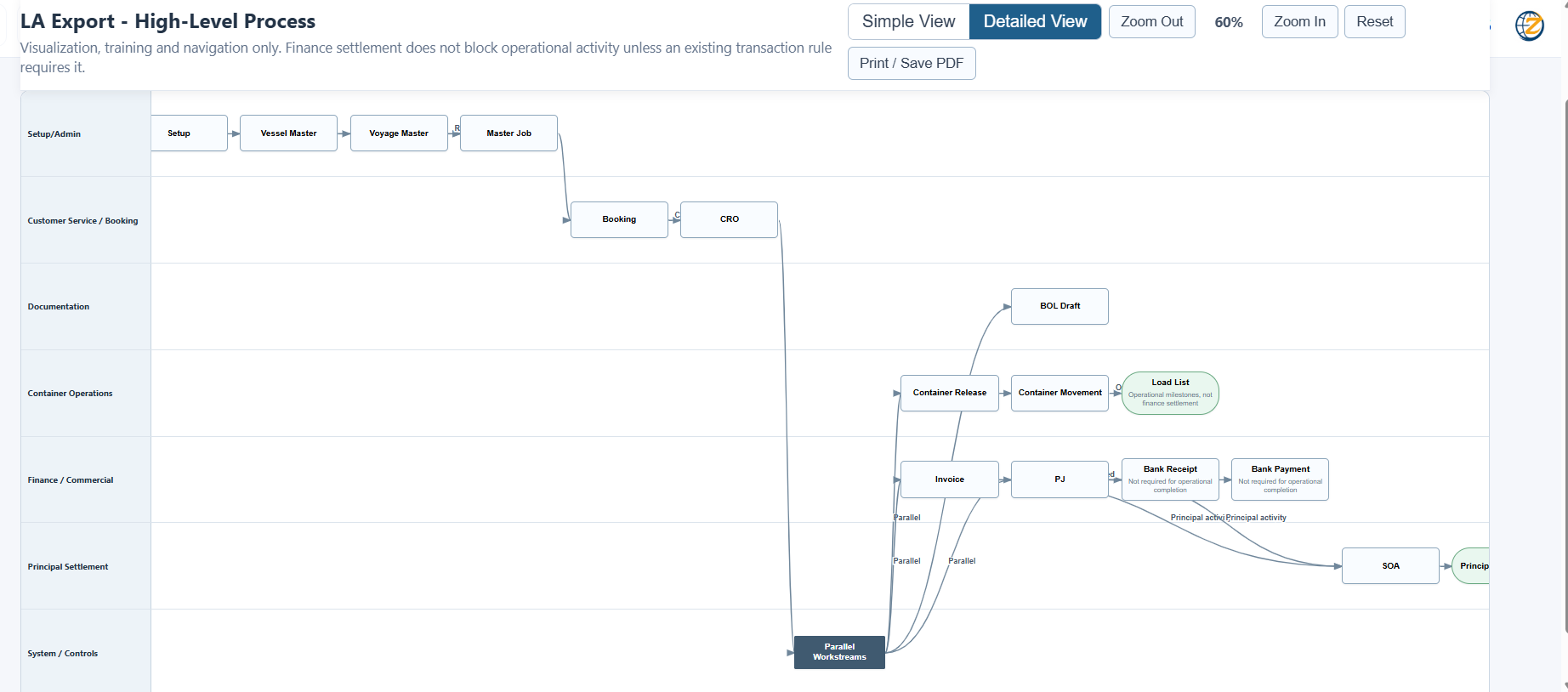
01Enquiry / QuotationCommercial start
02BookingShipment setup
03DocumentationBL and documents
04OperationsContainer activity
05Delivery OrderRelease control
06Billing / CostingAR and vendor cost
07FinanceSettlement / vouchers
08ReportsP&L and cash flow
FreightZen process flow

Process-led ERP

FreightZen is designed around operational workflow rather than disconnected data entry. The customer can quickly see how commercial, documentation, operations and finance are linked.

Product Walkthrough

Real FreightZen screens grouped by process.

Click any image to enlarge it.

Step A · Platform Overview

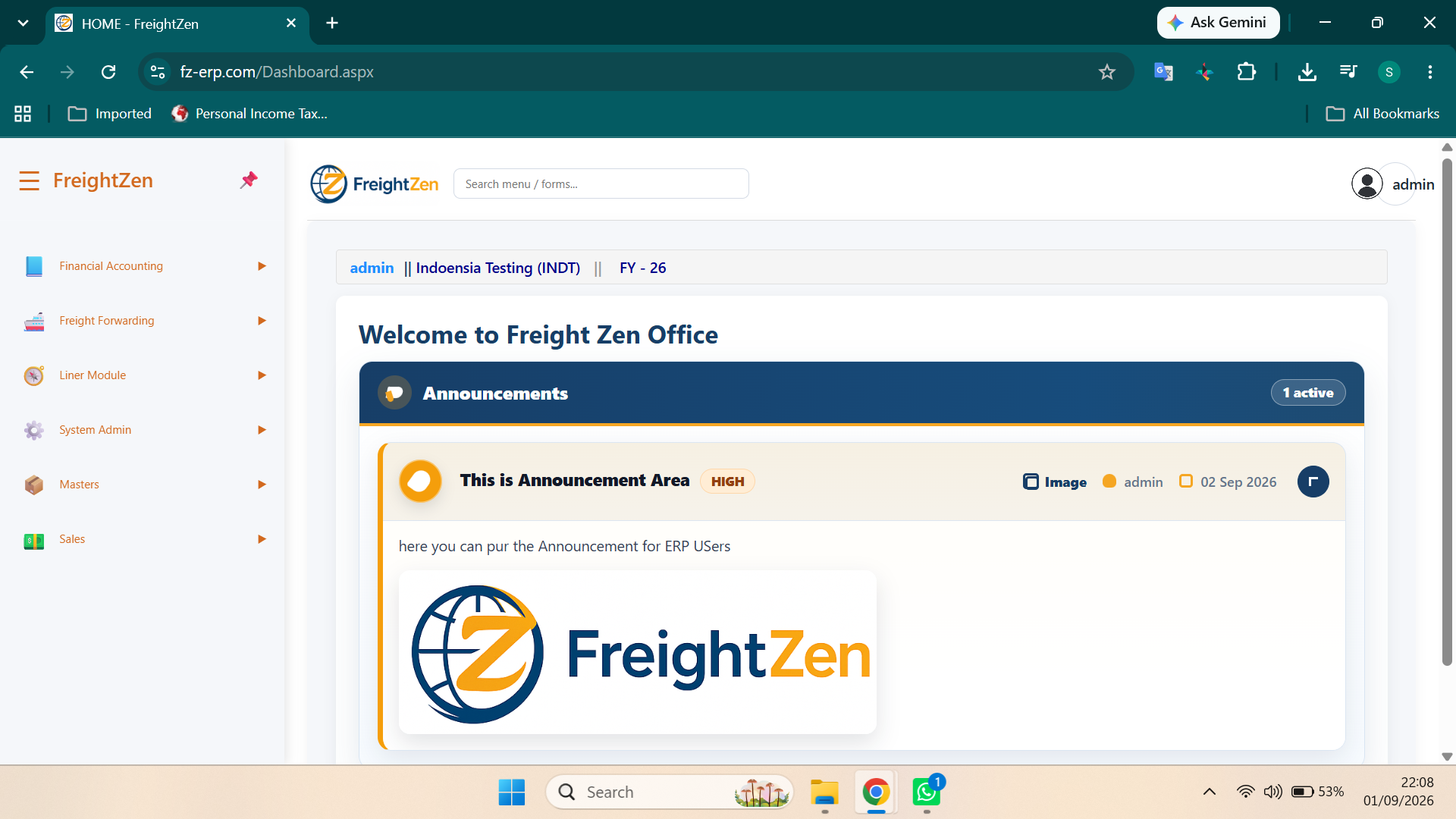
Login and user dashboard

Begin the demo with the system access and landing experience before entering the workflow.

  • Secure user access
  • Dashboard and navigation
  • Business notices and entry points
FreightZen login
LoginSystem access screen.
FreightZen dashboard
DashboardLanding page and navigation.
Step B · Booking & Operations

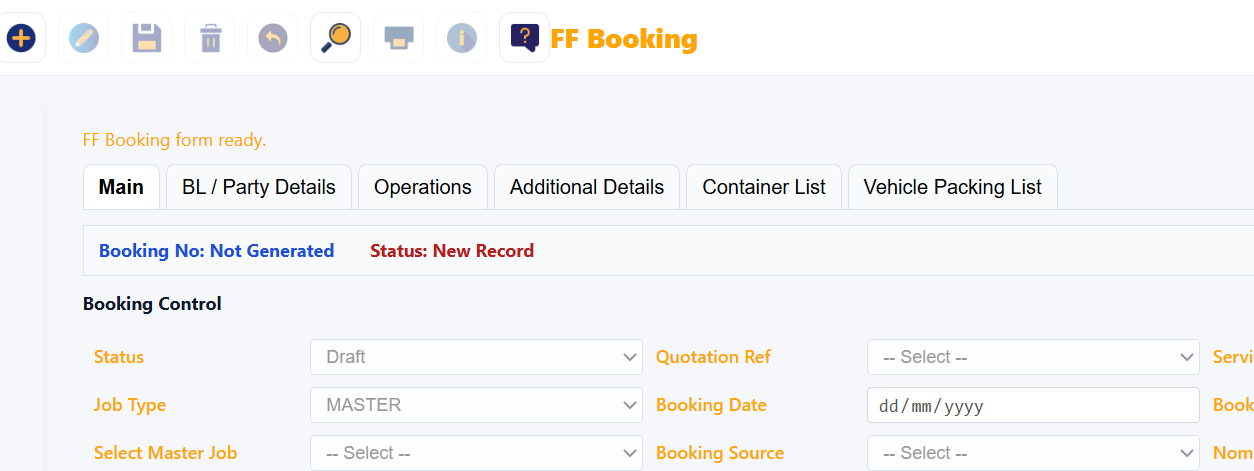
Create the shipment and capture commercial details.

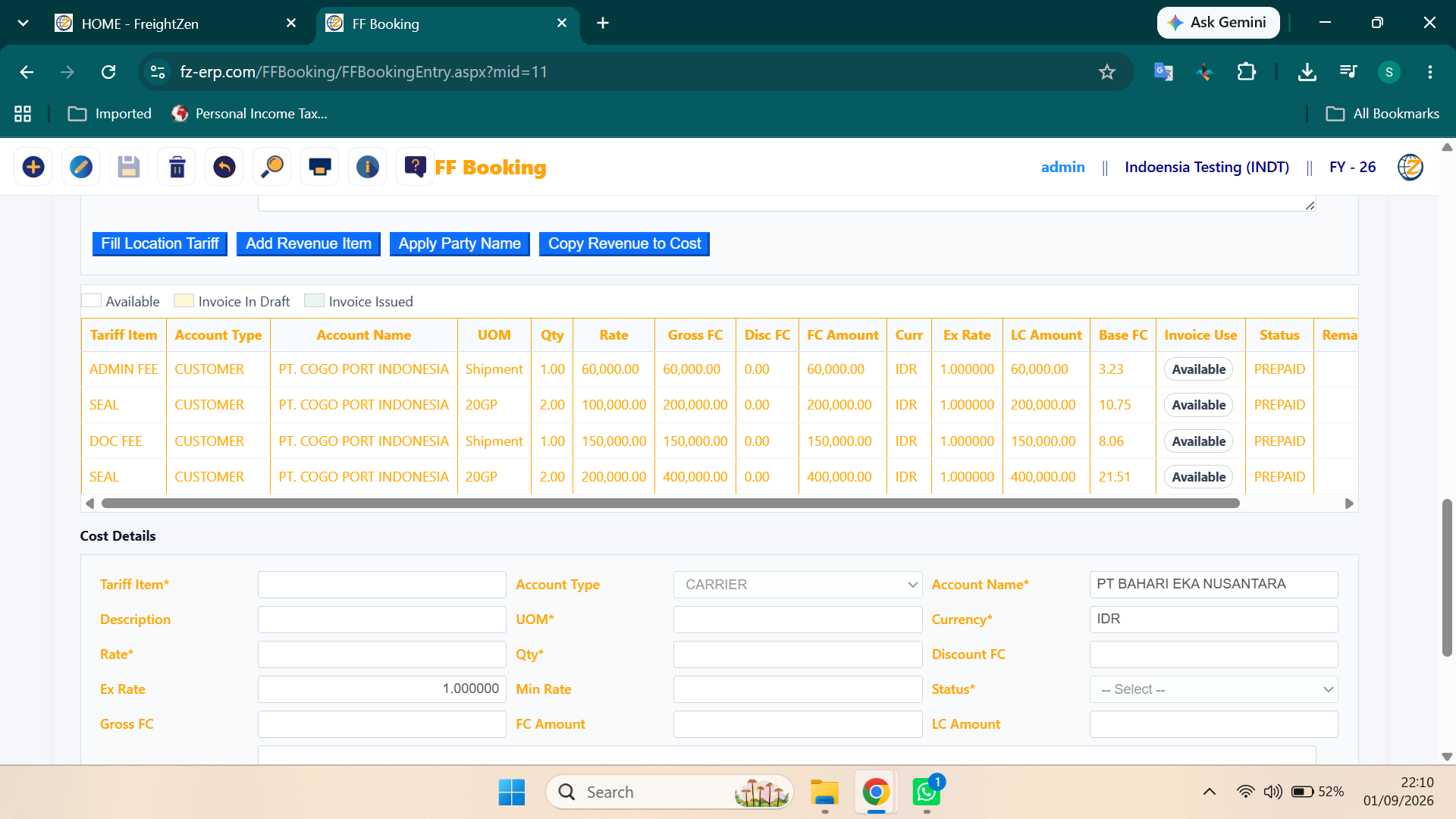
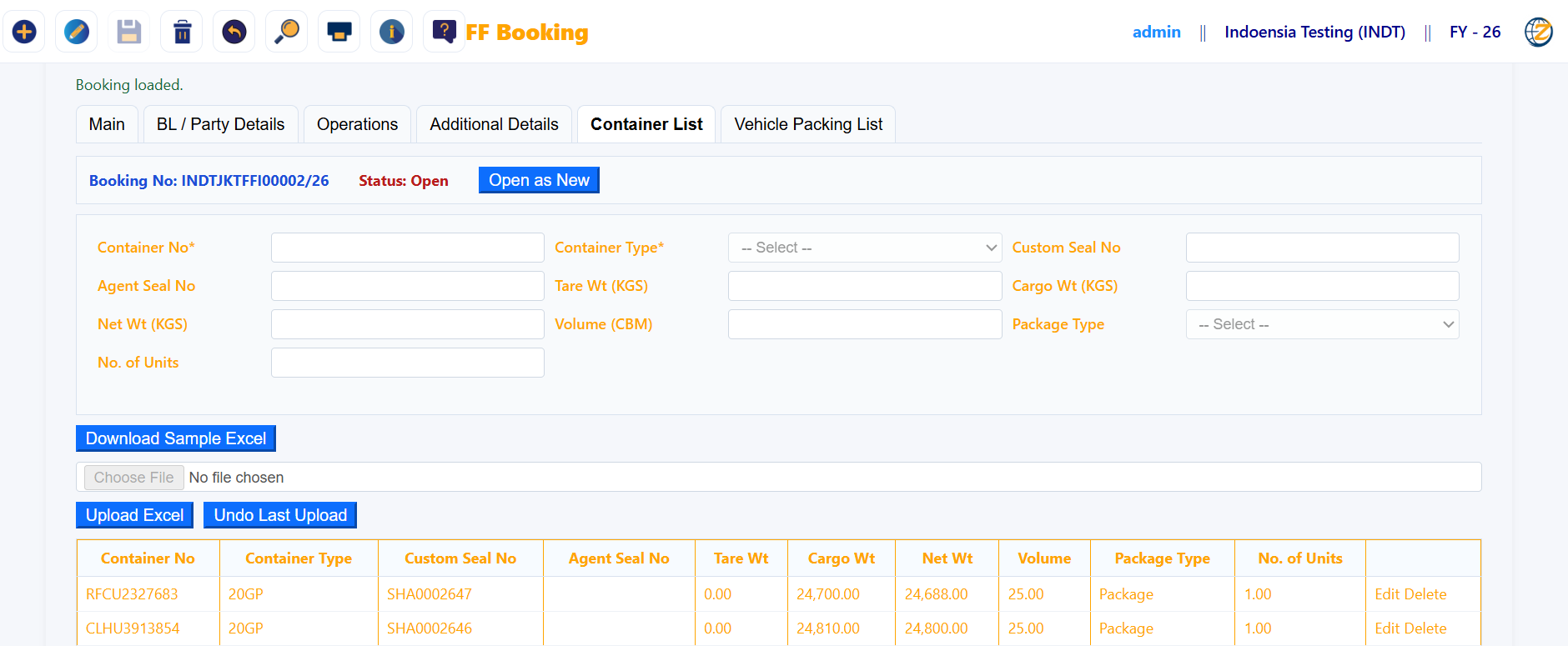
Booking forms bring operational detail, revenue, cost and container information together.

  • Booking header and routing
  • Revenue and cost planning
  • Container-level information
FreightZen booking entry
Booking EntryMain shipment setup.
FreightZen booking cost revenue
Booking Revenue & CostCommercial planning.
FreightZen container list
Container ListContainer details and execution.
Step C · Documentation & Release

BL preparation, revision, switch BL and delivery order control.

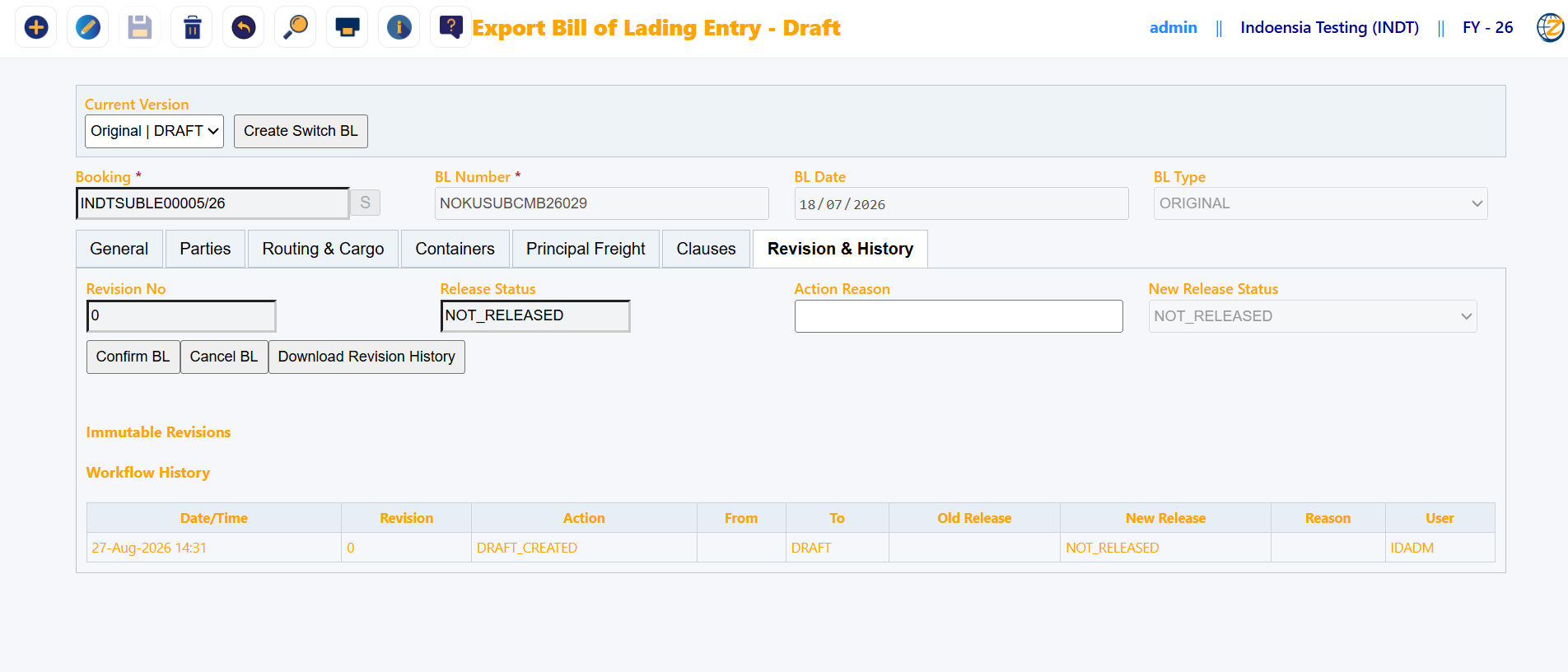
Documentation and release activities are managed within the same operational environment.

  • BL entry and history
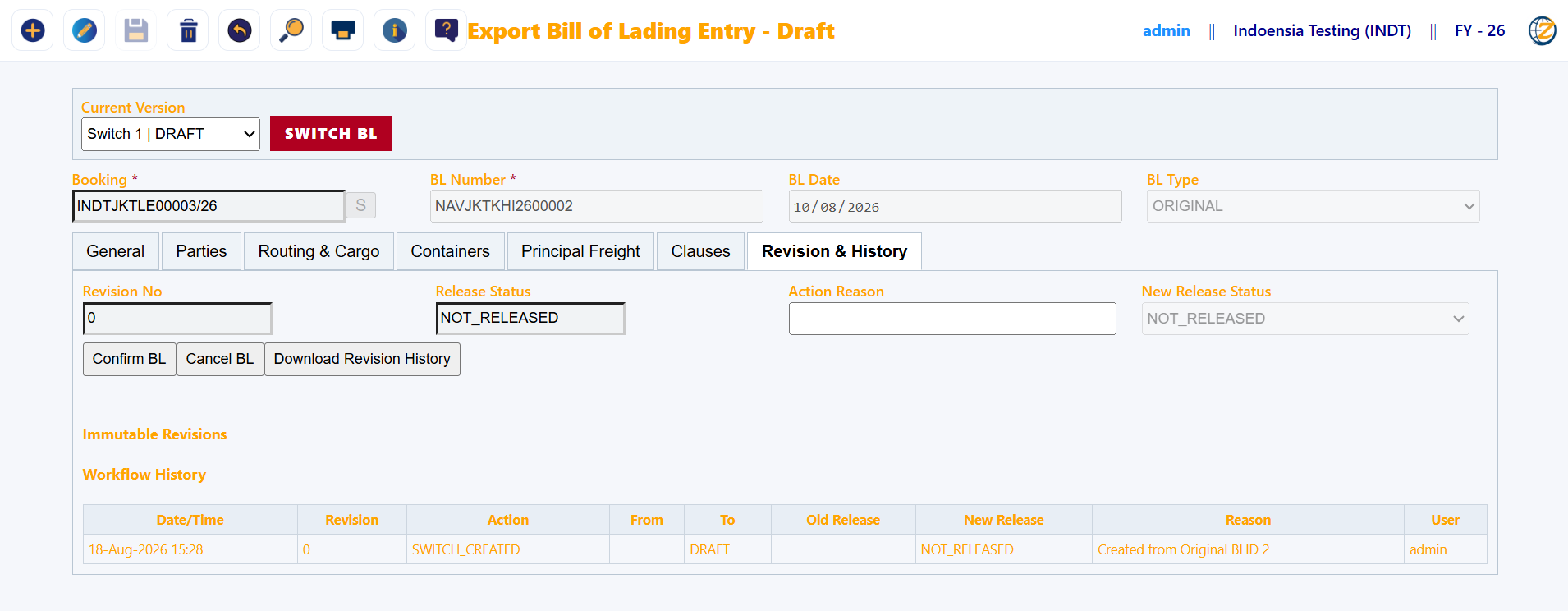
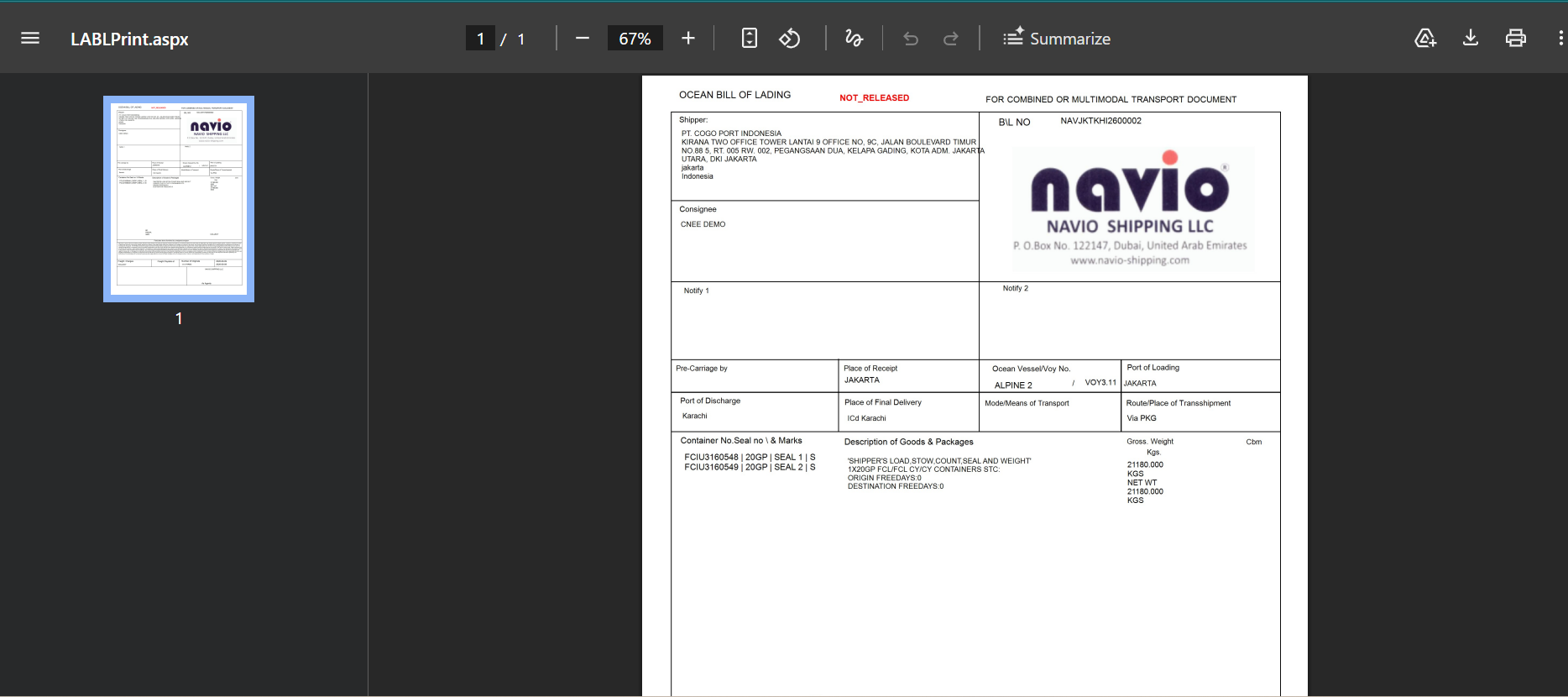
  • Switch BL and print output
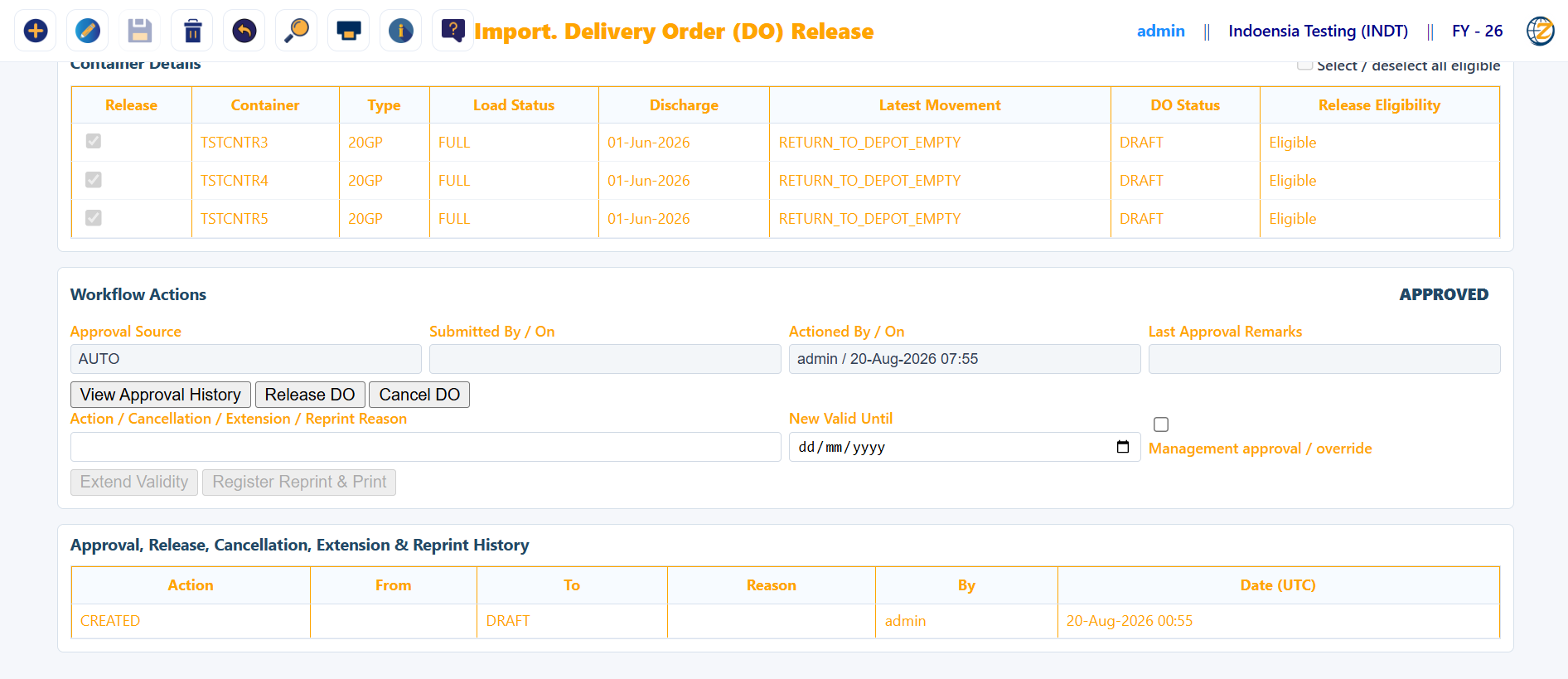
  • Delivery order release controls
FreightZen BL entry
BL EntryBill of lading management.
FreightZen switch BL
Switch BLAlternate BL handling.
FreightZen BL print
BL PrintPrintable document preview.
FreightZen delivery order
Delivery OrderDO release and workflow control.
Step D · Billing & Finance

Customer billing and vendor cost stay linked to the operation.

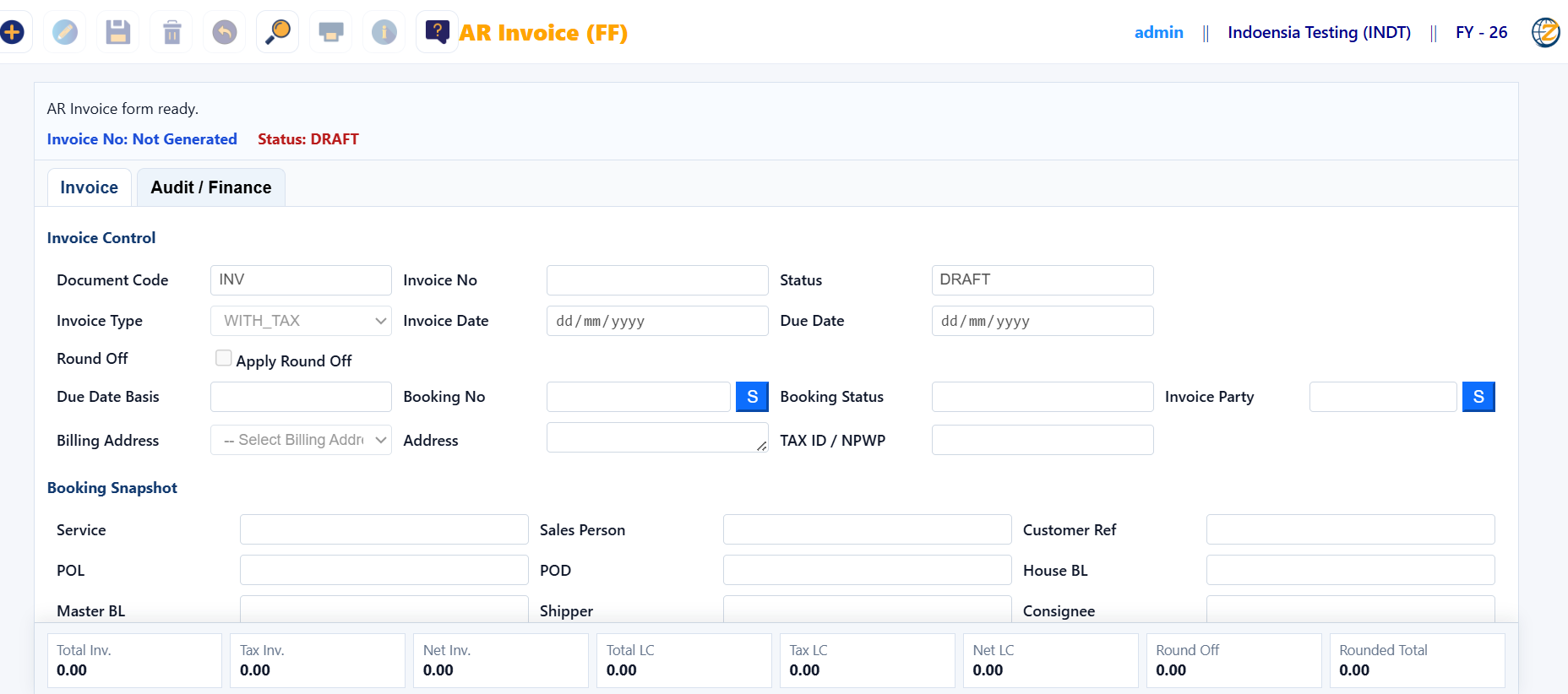
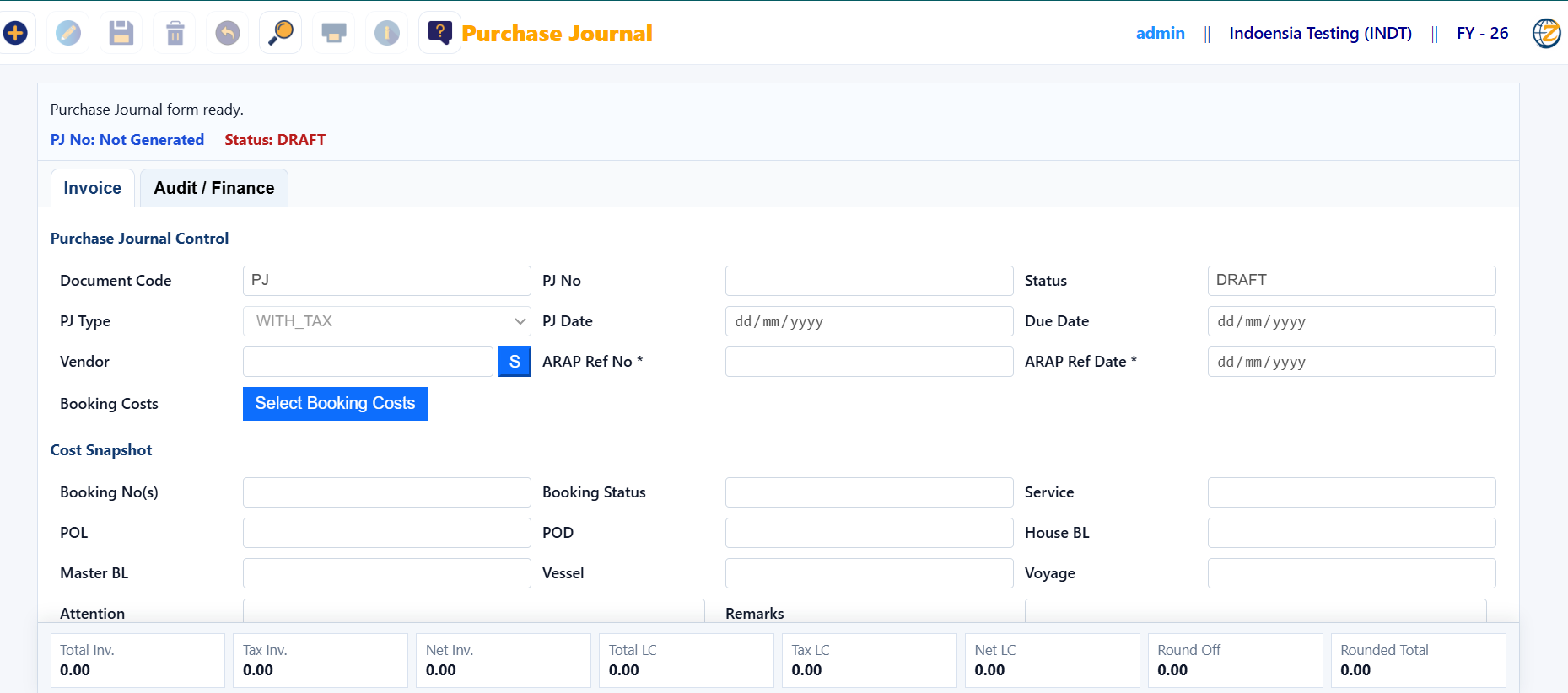
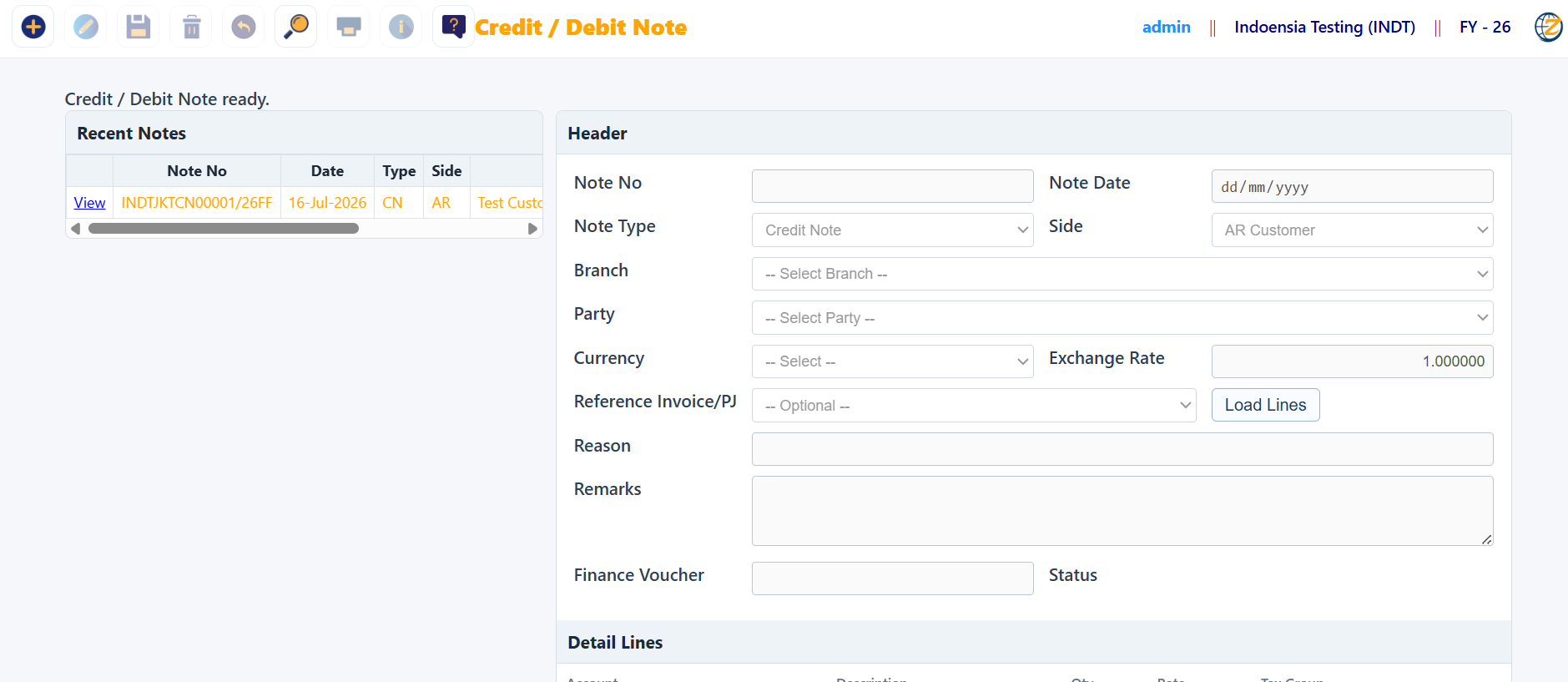
Finance users can work with AR invoice, vendor Purchase Journal and debit/credit notes.

  • Customer AR Invoice
  • Vendor Purchase Journal
  • Debit / Credit adjustments
FreightZen AR invoice
AR InvoiceCustomer billing.
FreightZen purchase journal
Purchase JournalVendor cost entry.
FreightZen debit credit note
Debit / Credit NoteFinance adjustments.
Step E · Management Reports

Move beyond transactions into planning and profitability.

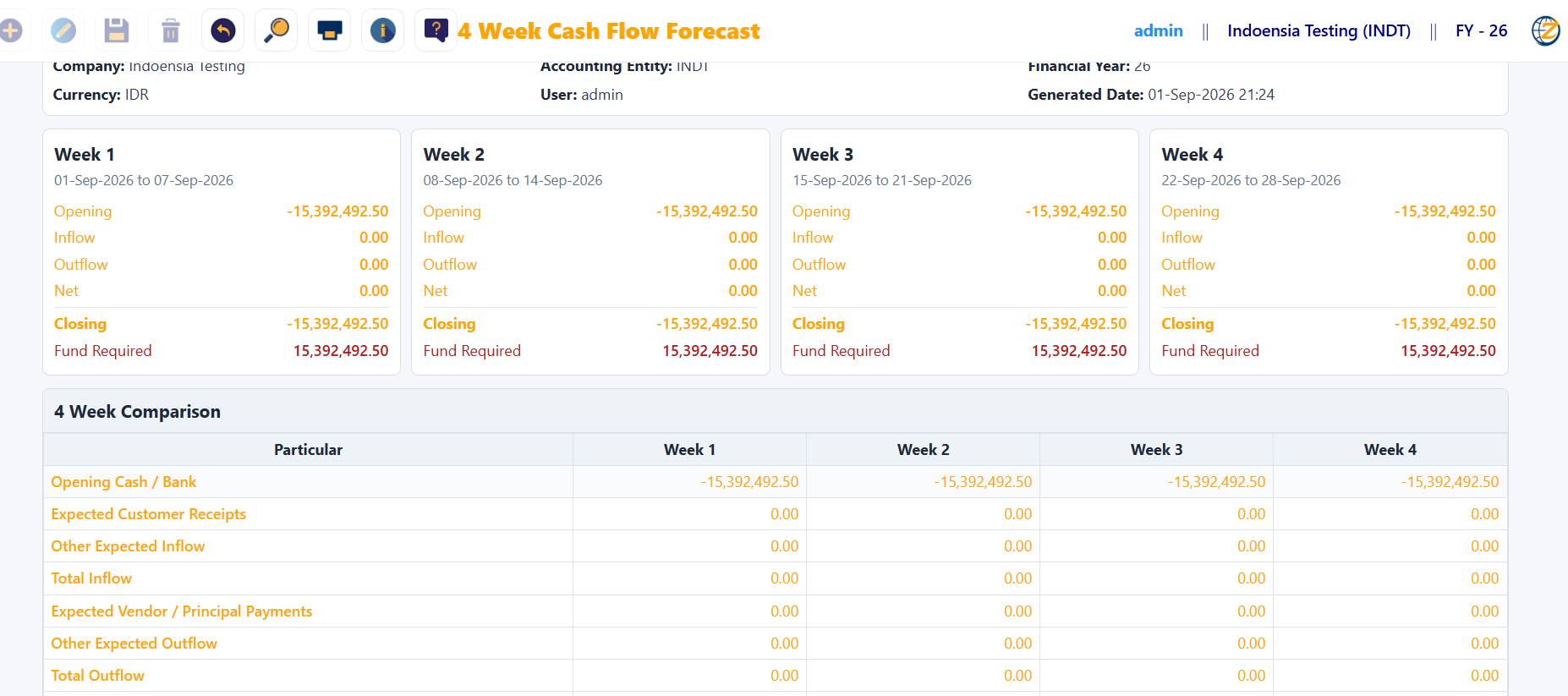
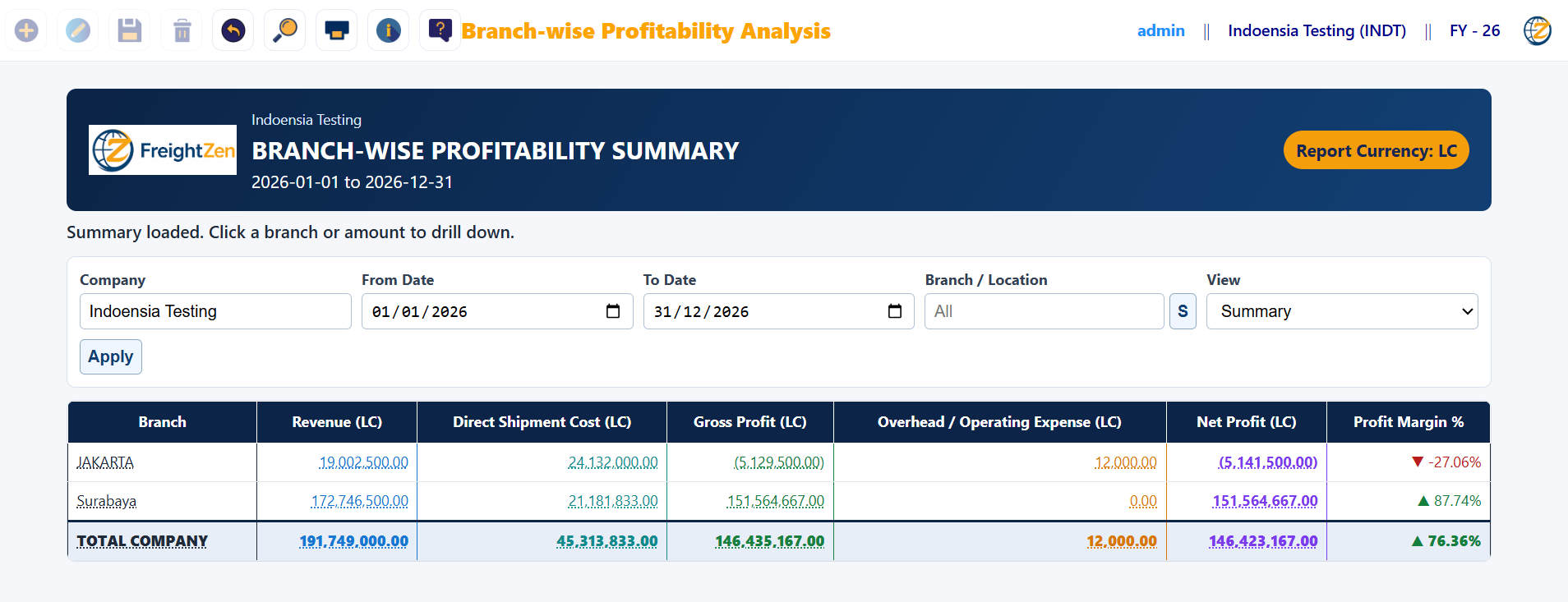
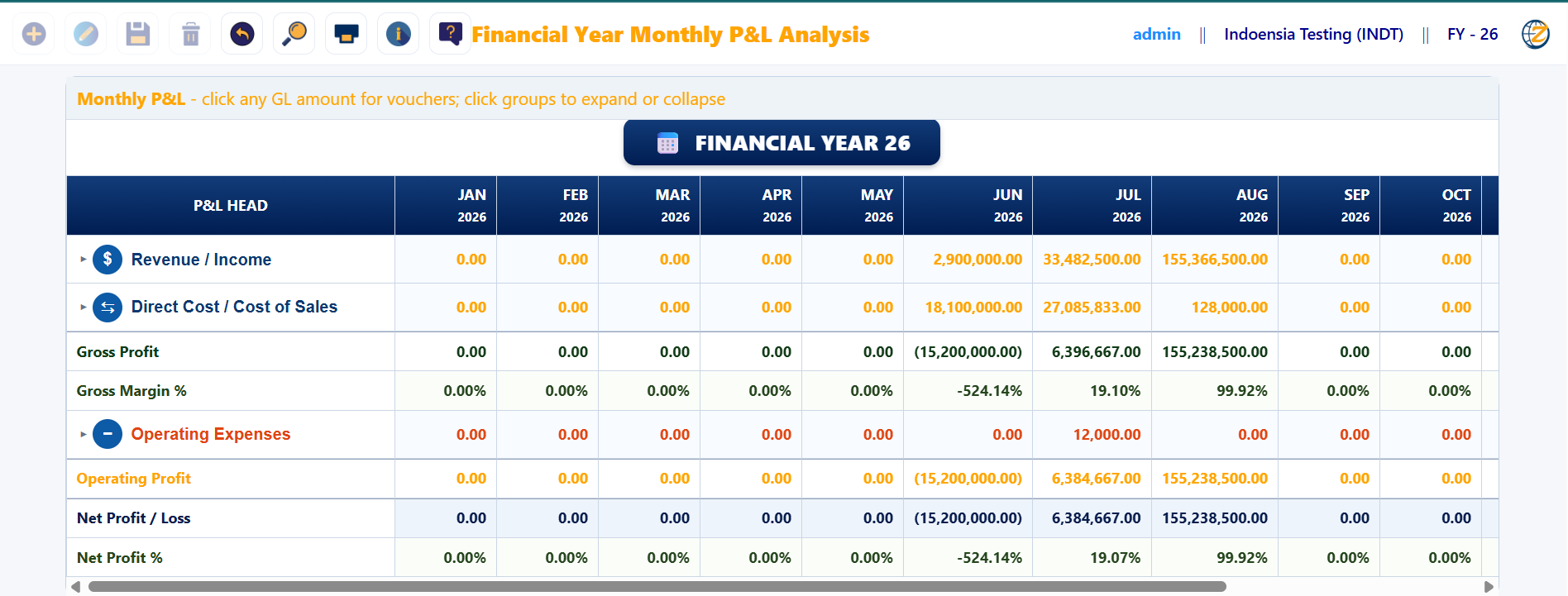
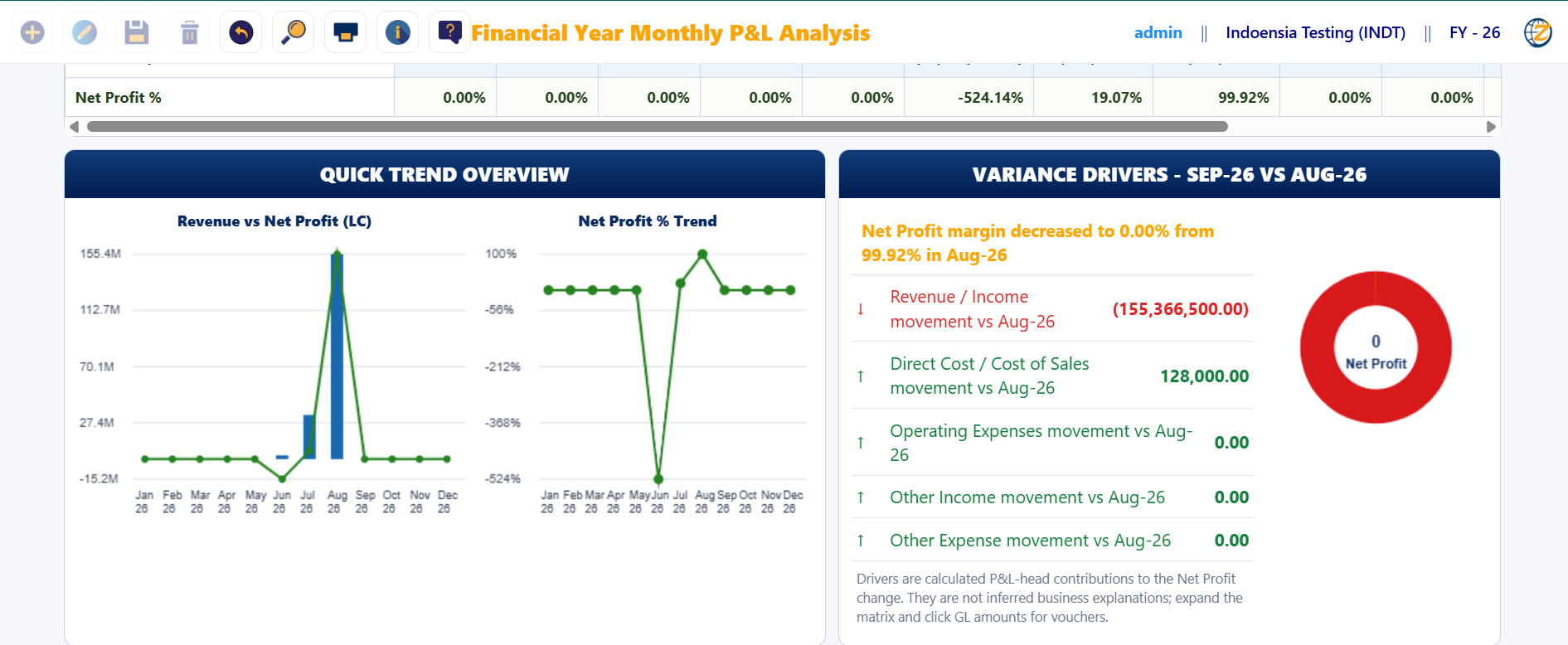
Management reporting helps decision-makers understand cash position, branch performance and month-wise profitability.

  • 4-week cash flow forecast
  • Branch-wise profitability
  • Monthly P&L and trend view
FreightZen cash flow forecast
Cash Flow Forecast4-week forward view.
FreightZen branch profitability
Branch ProfitabilityRevenue, cost and net profit.
FreightZen monthly P&L
Monthly P&LFinancial-year month view.
FreightZen P&L overview
P&L OverviewTrend and management visualization.
Coverage

What FreightZen brings together.

Freight ForwardingBooking, revenue, cost and operations.
Liner Agency / NVOCCImport/export and principal processes.
BL & DocumentationBL, revisions, parties and print outputs.
Container & DOContainer details, movements and release control.
AR / AP FinanceInvoices, purchase journal and adjustments.
Cash FlowShort-term planning and fund visibility.
ProfitabilityBranch and month-wise analysis.
Management MISReports and decision support.
See It Live

Book a FreightZen demo based on your workflow.

We can focus the demo on freight forwarding, liner agency, finance or management reporting.

Request Demo
WA
SAKA AssistantStandard service & product questions
Expanded screen